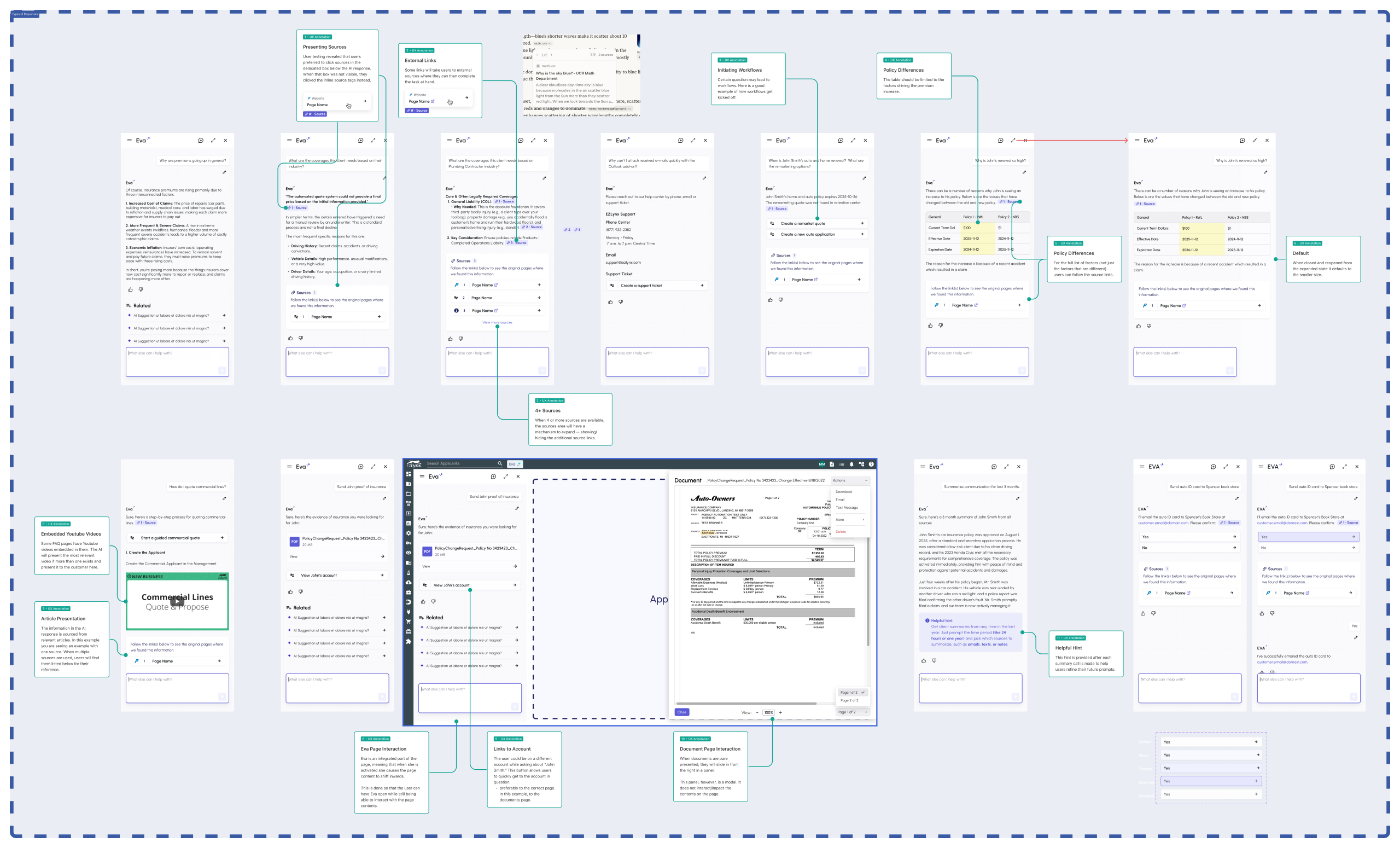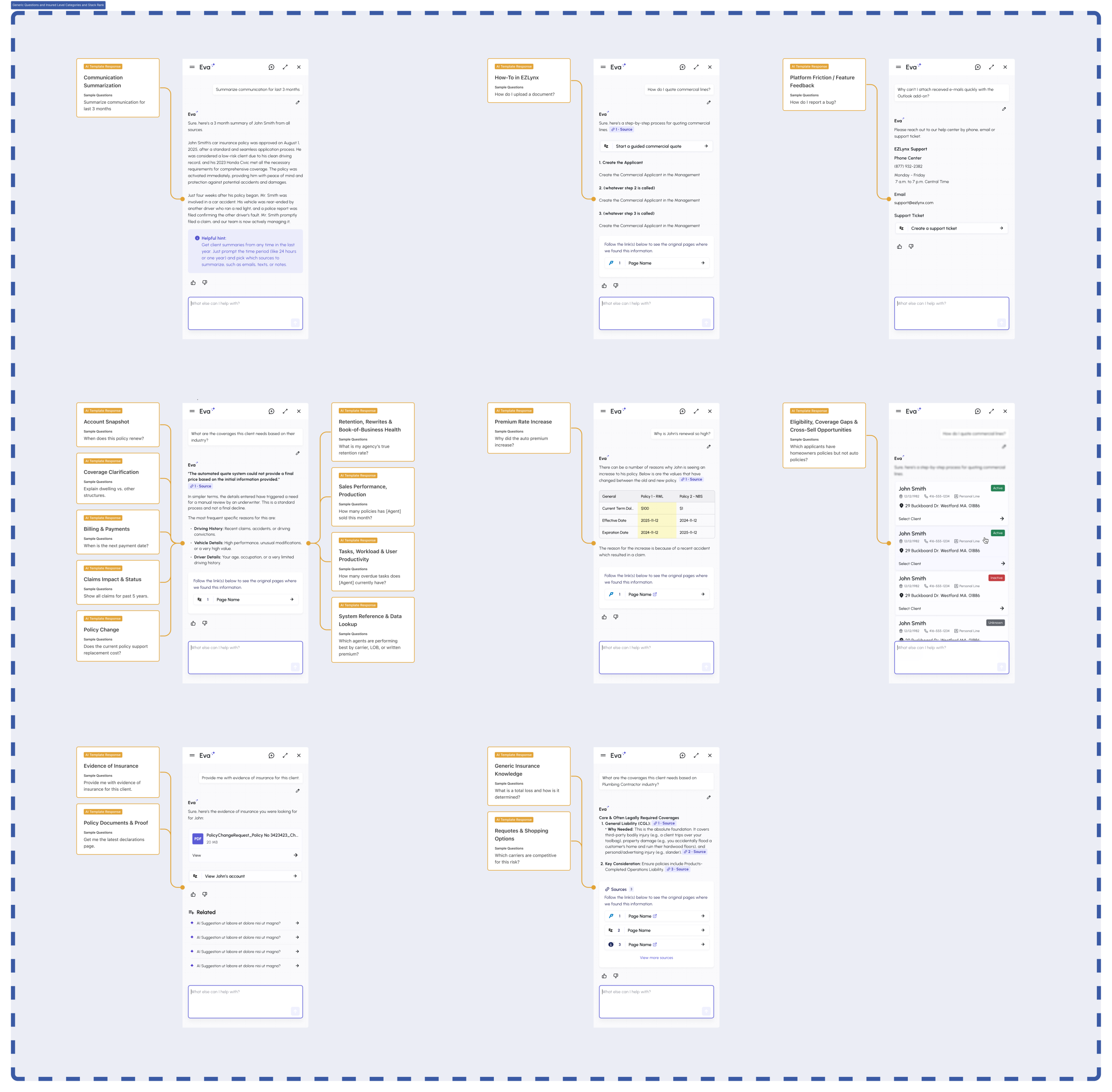

| Client: Applied Systems Timeline: March 2026 – June 2026 Role: Sr. Designer / Agile Consulting – UX strategy, Design Systems using Figma/Figma Make, enterprise AI platform Team: Business Systems Analyst, Product Owner, AI Architects, Subject Matter Experts Tools: Figma, Marvin, VS Code, Copilot, ROVO (Confluence AI)I was brought in to architect a deterministic design system for their agentic AI workflows. We successfully built out the logic, mapped data types to Figma variables, and unblocked the engineering handoff. Mid-way through, the corporate strategy shifted; they reallocated funding to executive-level AI apps and paused the platform implementation. This project included: EZLynx AI (roadmap): EZLynx benefits from the Applied Insurance AI roadmap; comparative rating automation and renewal workflows are core AI use cases for its personal lines market moving forward. I did deep research on the current state of the system and AI integration into DesignOps and worked with data processing handled natively within Applied’s platforms, with no policyholder data transmitted to external AI vendors – security was a constant. EZLynx agencies inherit the same security posture and governance controls as their Epic users. Specific Applied Insurance AI features remain deeper in Epic at this stage; however the roadmap needed a revision to include agentic flows in UX design consistent with all of the EZLynx products. Figma File for EVA Variables |
The ProblemThe design system was already under development but had not been fully adopted by product teams. The IA / Development teams had not yet received defined clear UX intent and conditions associated with each component’s performance, and the UX team was not addressing this disconnect. UX was not annotating wireframes either, to communicate design intent clearly to stakeholders; further the IA teams managing the DS were not able to push back and get clarity because there was nothing there to push back against. Instead UI patterns were being built ad-hoc and generating massive feature bloat, extra work. SolutionsMy role sat at the intersection of IA, UX, and technical DS development. I worked directly with the UI designer to articulate UX intent within AI interaction patterns, ensuring design decisions were understood in the context of how AI would call and render components. On the technical side, we mapped data types to component states: If The Approach: Deterministic Design Systems I reframed the DS not as a UI Kit but as a deterministic design system: a structured, rule-bound component library that AI systems can traverse reliably to assemble and populate UI on the fly based on task context. Rather than leaving layout and content decisions to interpretation, each component carries its own conditions and variables, giving the AI a defined decision path for every data type and query it encounters. |
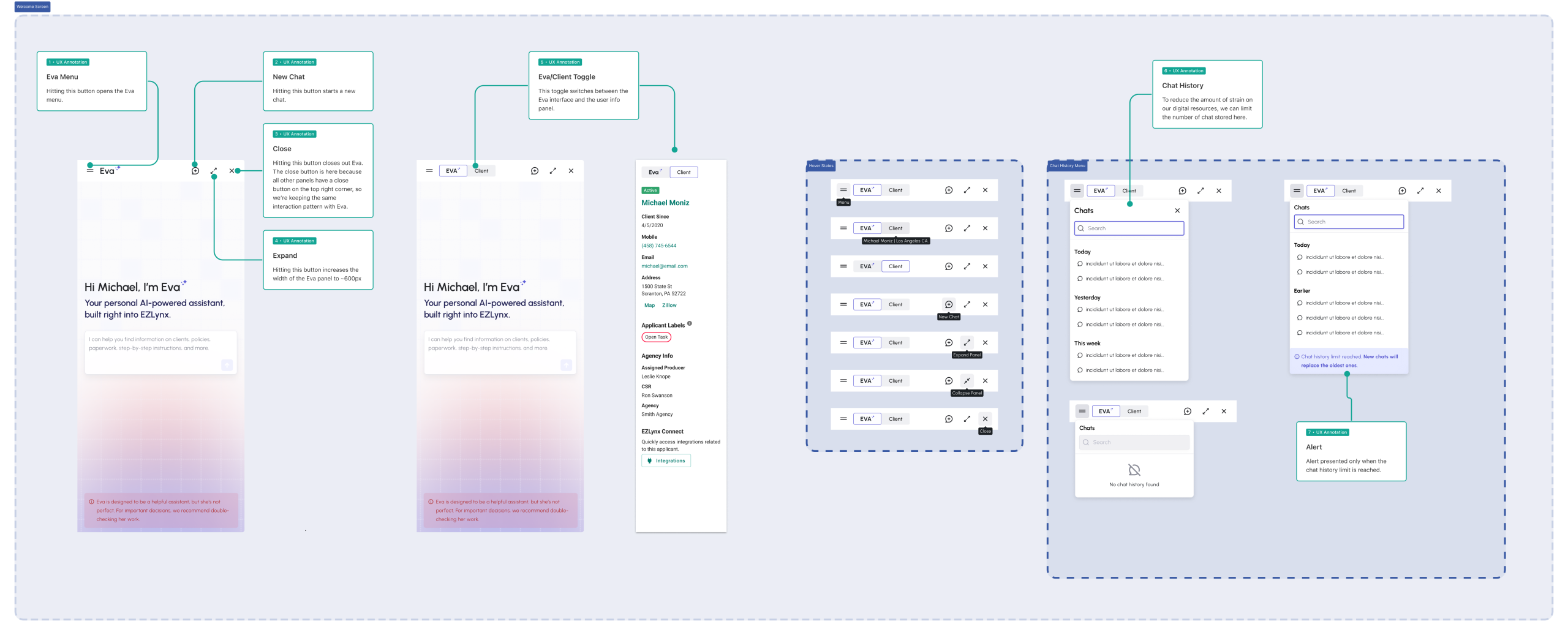
Click to zoom.
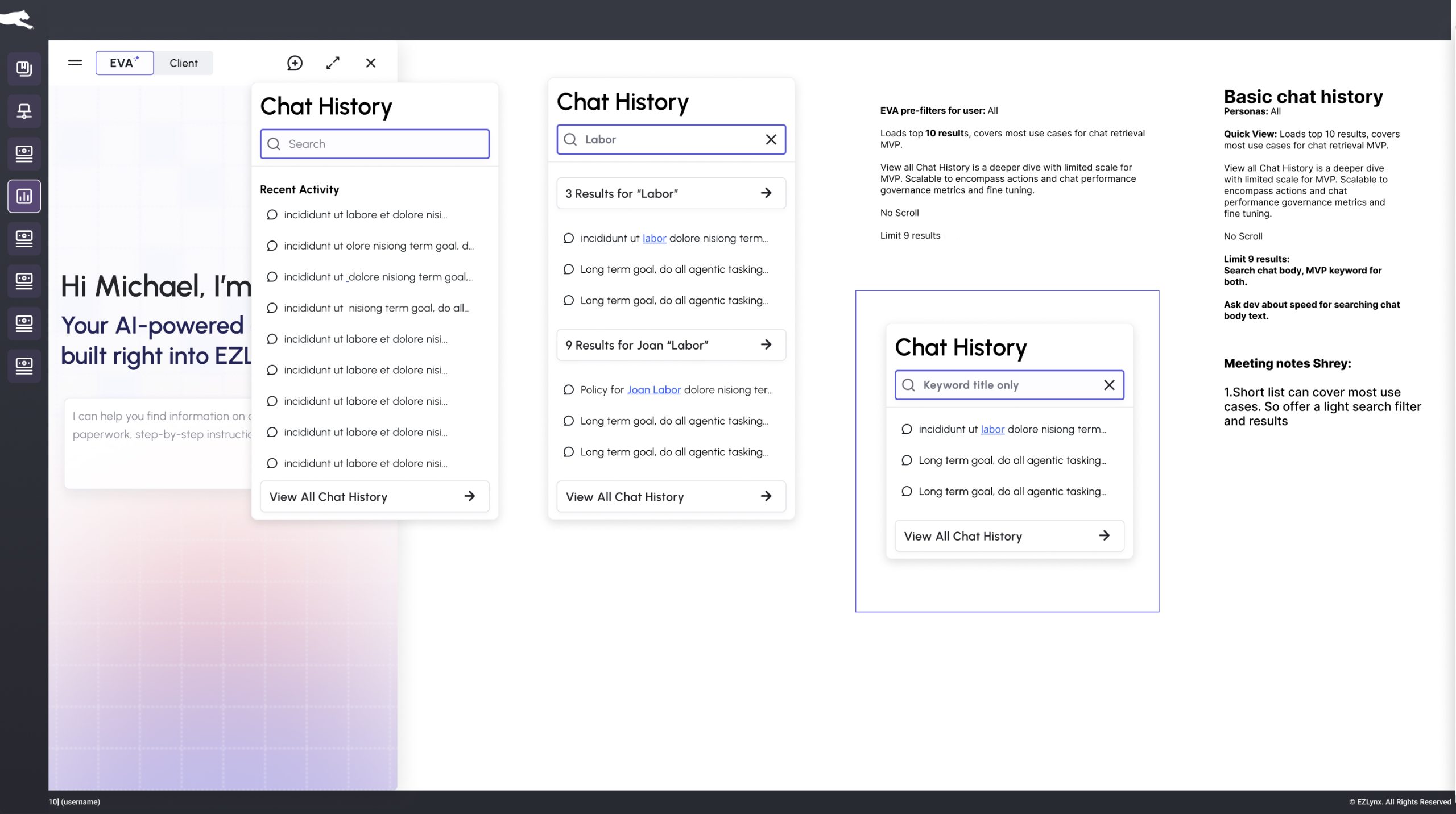
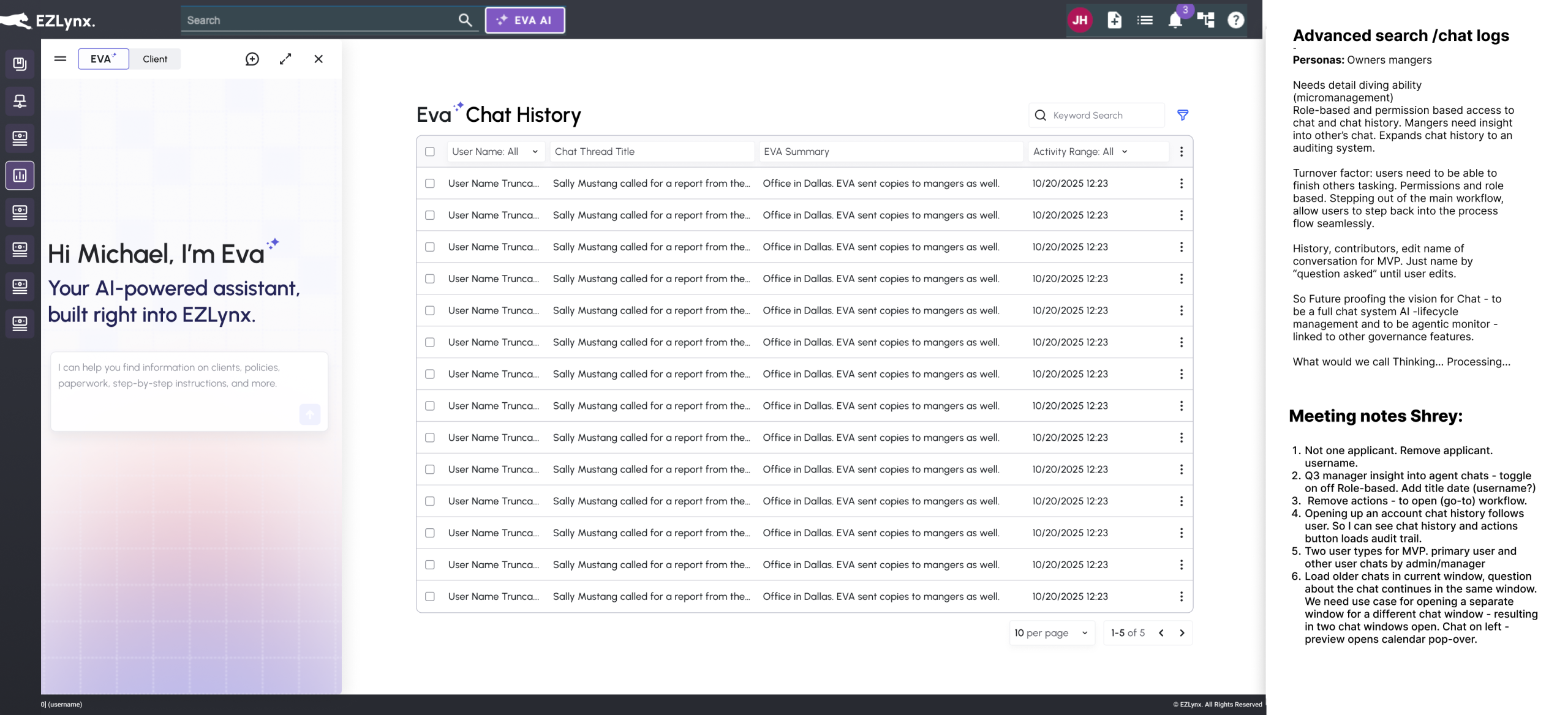
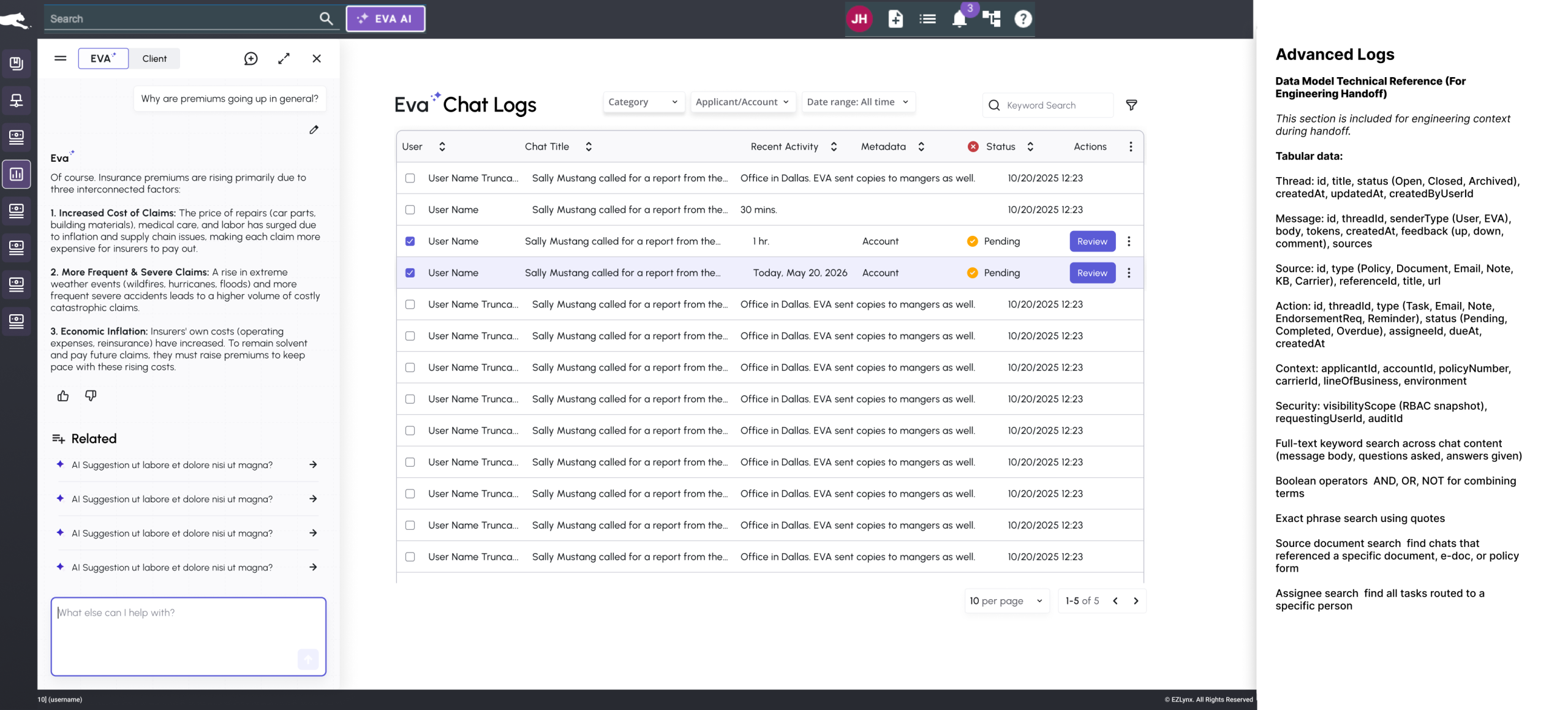
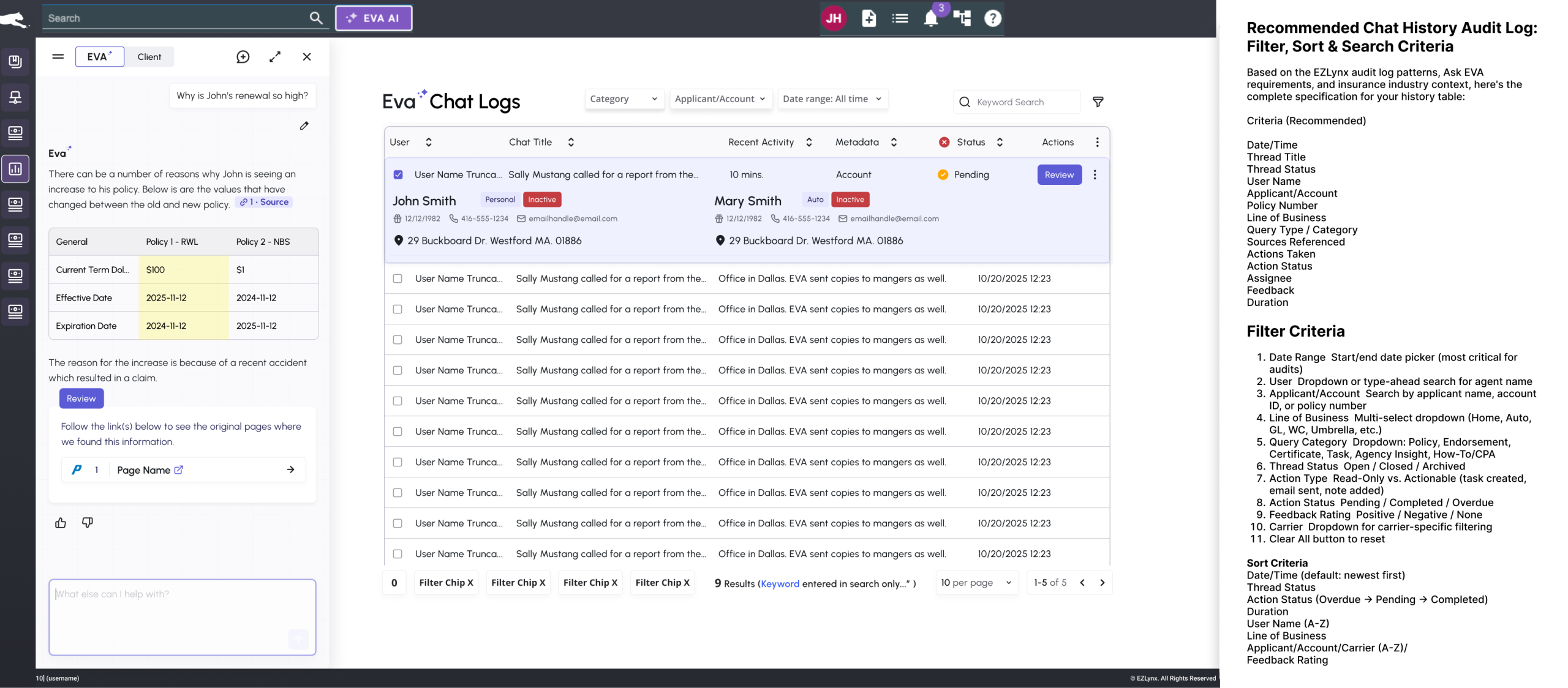
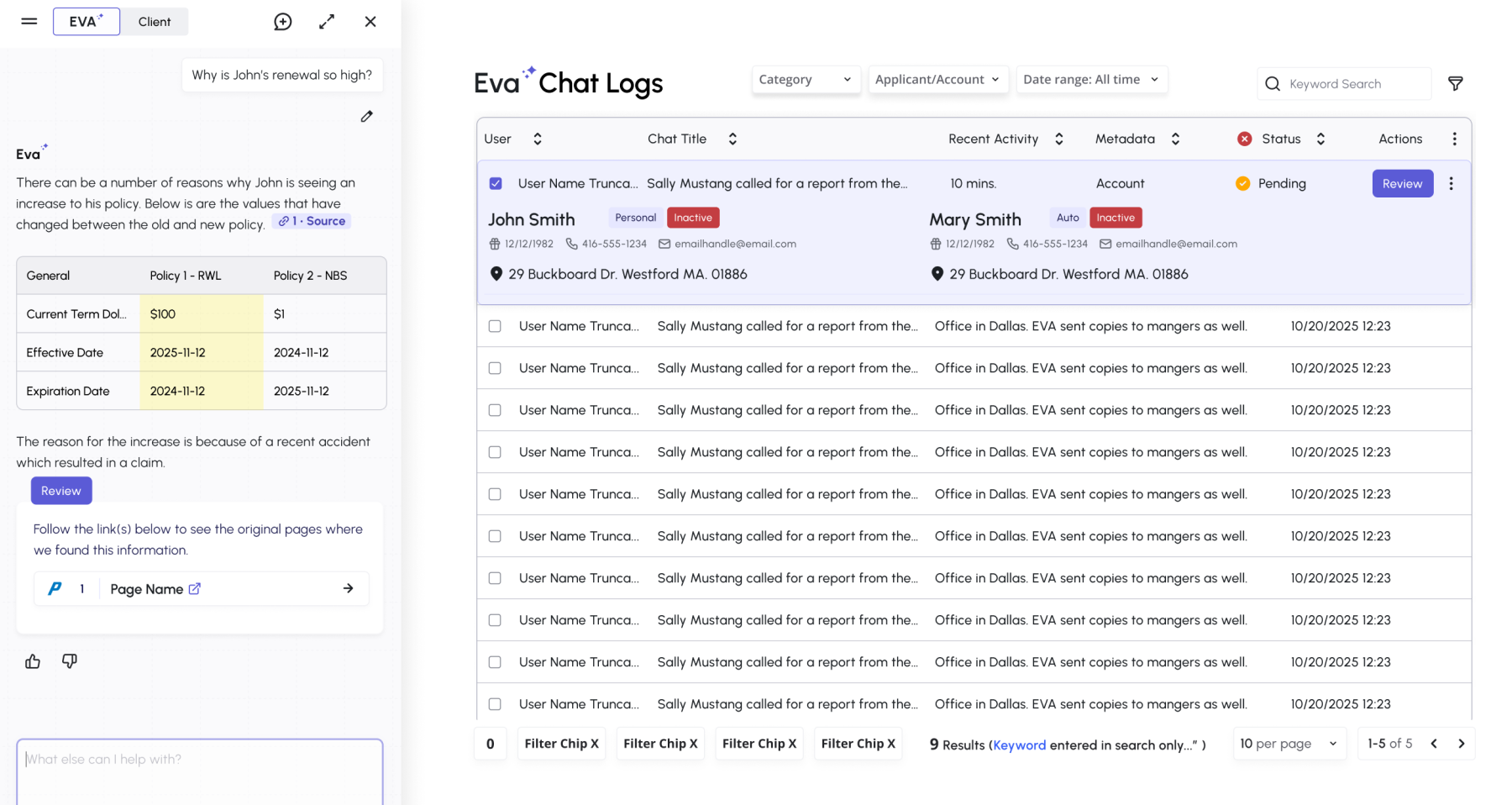
Design Systems Figma Mockups
| The design system was already under development but the UX and Product team was transitioning away from a traditional UI Kit approach, and this shift required a new perspective on design system management. Using Figma Make, I facilitated design workshops with IA and Engineering leads to integrate modular components with variables and conditions to create dynamic componentry that AI systems could easily call and restructure based on data type and query. | Each component carries its own conditions and variables, so instead of leaving layout and content to interpretation, the AI has a defined decision path for every data type and query.
The constraint is what creates the freedom, product composes ideas and solutions for users faster from governed patterns instead of waiting on UX for new ones each cycle, and each iteration only extends existing patterns rather than reinventing them. That eliminates the ad-hoc inconsistencies and overrides driving the feature bloat. |